HR & People
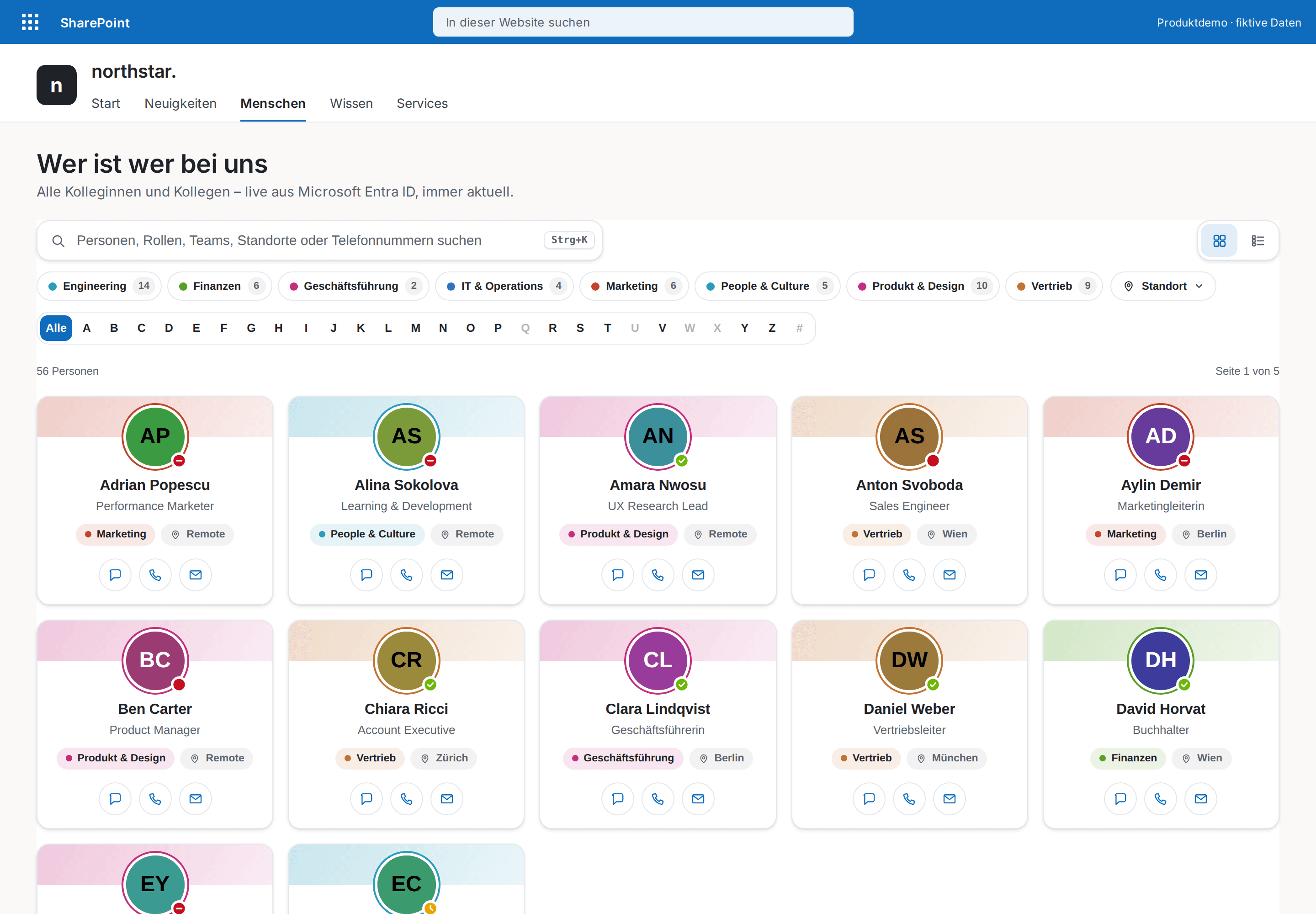
Employee Directory Plus
The modern who's who for your intranet — every colleague one keystroke away.
€800
B2B store: sales exclusively to businesses, public-law entities and special funds under public law. Prices are net plus applicable taxes.
SharePoint Framework · SharePoint Online · Microsoft Teams
Premium SPFx web parts for SharePoint Online — buy once, download the .sppkg instantly and deploy it in minutes. No subscriptions or per-user fees.
Hand-built for SharePoint Online, themed to your intranet.
HR & People
The modern who's who for your intranet — every colleague one keystroke away.
Documents
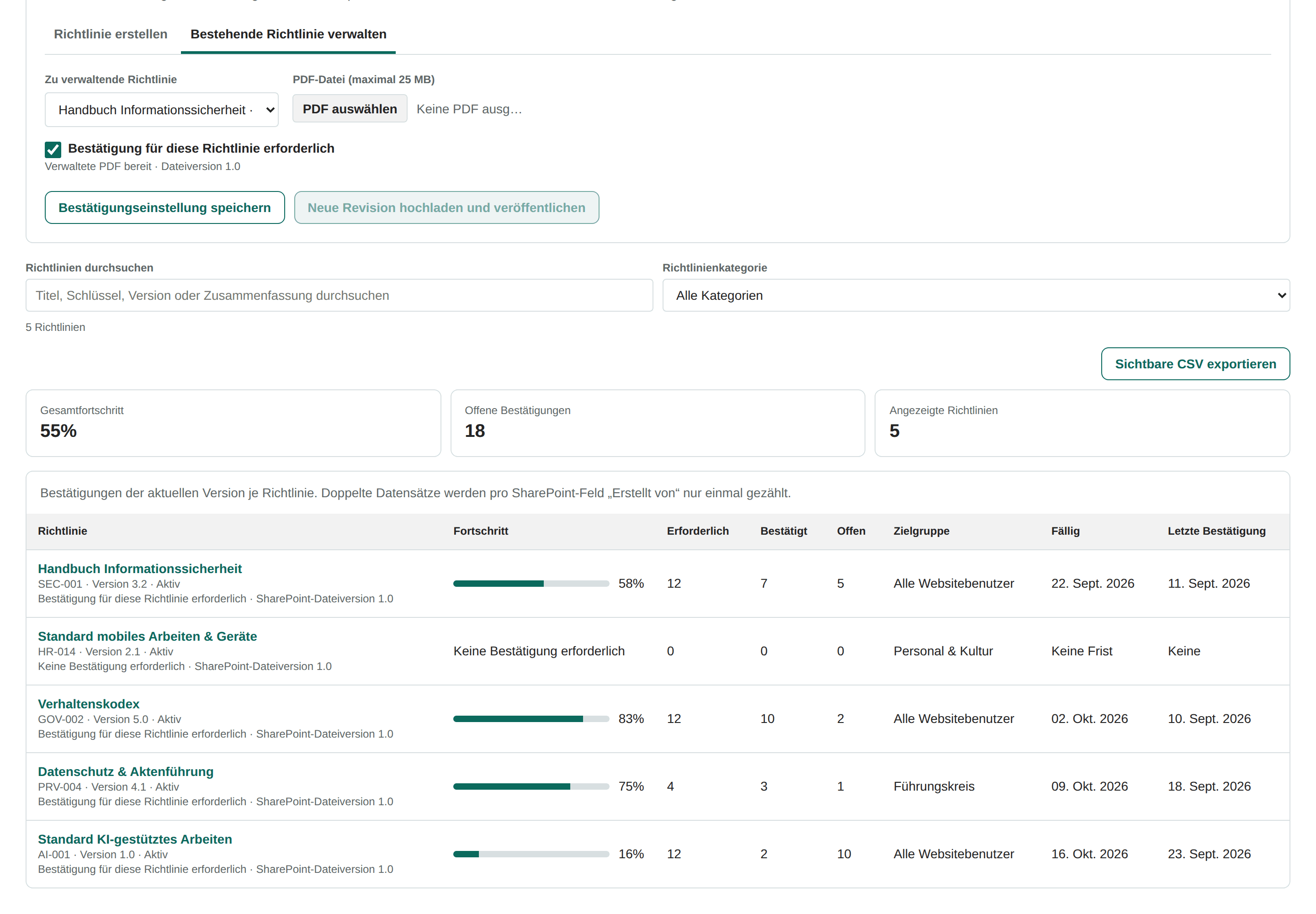
Read policy PDFs in the web part, require acknowledgement per policy, and track exact revisions.
Productivity
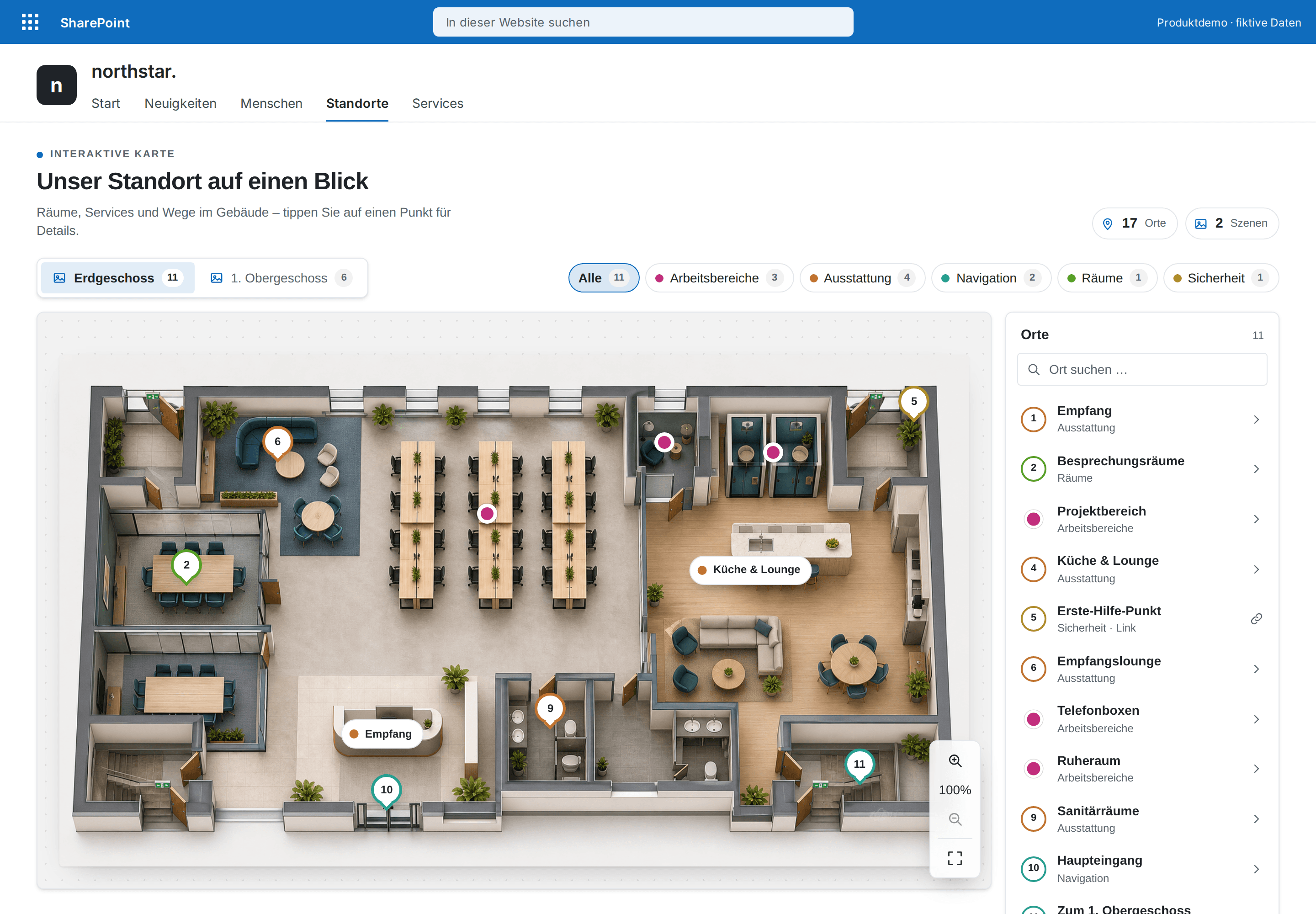
Make floor plans, processes and graphics clickable – with color-coded categories, a searchable places list, zoom and full screen.
Review the preview, buy through the secure Stripe checkout, then deploy the standard .sppkg to your tenant.
Review the web part, media and requirements — screenshots, demo video and preview PDF are on every product page.
Pay securely through the Stripe-hosted checkout; your download link, license key and invoice arrive by email within minutes.
Upload to the app catalog, add the web part to any page. Step-by-step guide included.
Describe what your intranet needs — we build it as a fixed-price custom web part, delivered as a .sppkg for your tenant.
Request a quoteEach license is a one-time license for one Microsoft 365 tenant with unlimited users and pages. No subscriptions, no per-user fees.
Yes — 12 months of feature and compatibility updates are included. For every new release you get an email notification and download the updated .sppkg via your download link. Updating is a simple re-upload to the app catalog: SharePoint detects the new version number and updates the package tenant-wide — every web part instance on your pages keeps its settings. After the 12 months, your version keeps working forever; extended updates can be purchased optionally.
You upload the .sppkg file to your tenant's app catalog and add the web part to any modern page. Each product includes an illustrated step-by-step guide — most deployments take under 10 minutes.
No. Our web parts run entirely inside your SharePoint tenant and talk only to Microsoft APIs like Microsoft Graph. There are no external servers and no tracking.
There is no trial version yet. Instead, every product page shows real screenshots and, where available, a demo video and a preview PDF, so you can evaluate a web part in detail before you buy. If you are unsure about fit or requirements, email us before purchasing — we answer honestly.
An SPFx web part is a client-side component built with the SharePoint Framework. It extends modern SharePoint Online pages. Ready-made SPFx web parts ship as an .sppkg file you upload to your tenant app catalog — no custom development required.
SPFxStore sells production-ready SPFx web parts for SharePoint Online as a one-time licence per Microsoft 365 tenant. You buy a package, download the .sppkg and deploy it in the app catalog. There is no subscription and no per-user fee.